
Prometheus Metrics
Aralez built-in Prometheus metrics reference
Prometheus metrics are exposed at http://config_address/metrics — by default http://127.0.0.1:3000/metrics.
Example Grafana Dashboard
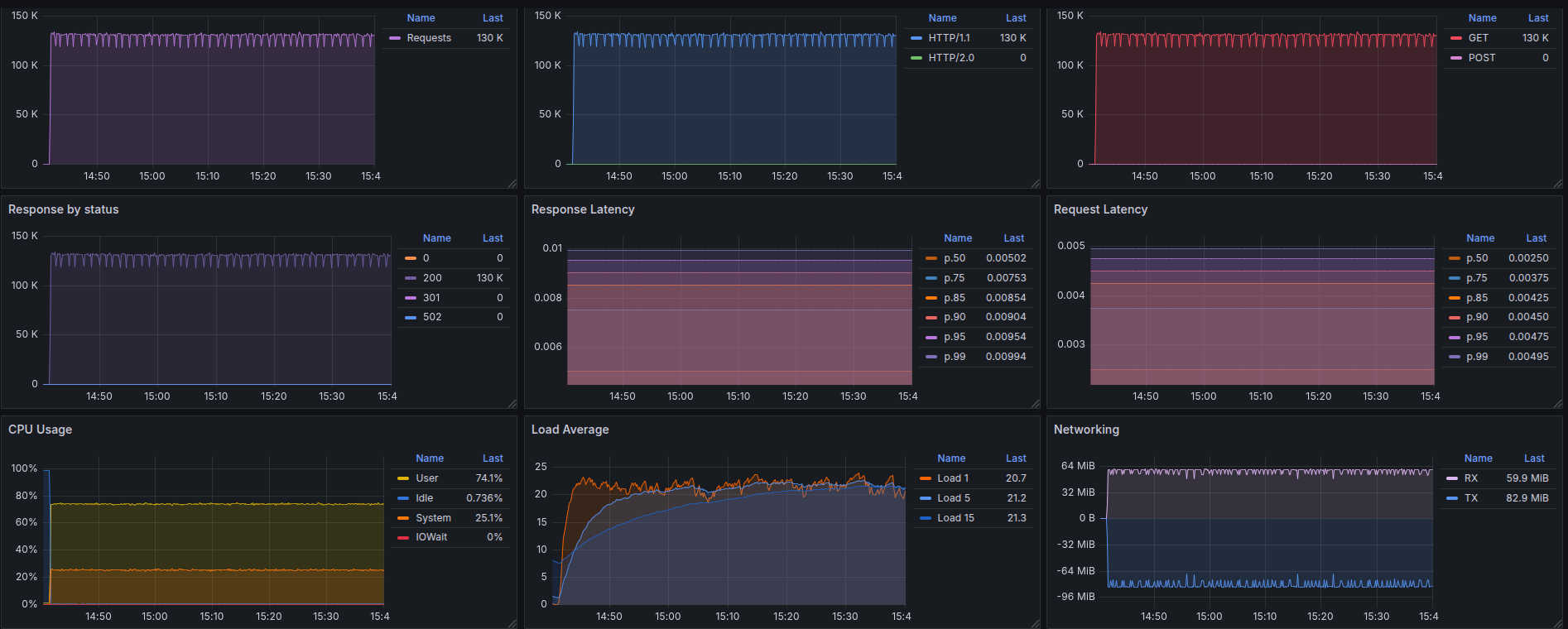
Metrics Reference
1. aralez_requests_total
- Type:
Counter - Purpose: Total requests served by Aralez.
rate(aralez_requests_total[5m])
2. aralez_errors_total
- Type:
Counter - Purpose: Count of requests that resulted in an error.
rate(aralez_errors_total[5m])
3. aralez_responses_total{status="200"}
- Type:
CounterVec - Purpose: Count of responses by HTTP status code.
rate(aralez_responses_total{status=~"5.."}[5m]) > 0
Useful for alerting on 5xx errors.
4. aralez_response_latency_seconds
- Type:
Histogram - Purpose: Tracks response latency in seconds.
Example bucket output:
aralez_response_latency_seconds_bucket{le="0.01"}  15
aralez_response_latency_seconds_bucket{le="0.1"}   120
aralez_response_latency_seconds_bucket{le="0.25"}  245
aralez_response_latency_seconds_bucket{le="0.5"}   500
...
aralez_response_latency_seconds_count  1023
aralez_response_latency_seconds_sum    42.6
| Metric | Meaning |
|---|---|
bucket{le="0.1"} 120 | 120 requests completed in ≤ 100ms |
bucket{le="0.25"} 245 | 245 requests completed in ≤ 250ms |
count | Total number of observations (total responses measured) |
sum | Total time of all responses, in seconds |
le means “less than or equal to”. count is the total observations. sum is the total response time in seconds.
95th percentile latency:
histogram_quantile(0.95, rate(aralez_response_latency_seconds_bucket[5m]))
Average latency:
rate(aralez_response_latency_seconds_sum[5m]) / rate(aralez_response_latency_seconds_count[5m])
Summary
| Metric Name | Type | What it Tells You |
|---|---|---|
aralez_requests_total | Counter | Total requests served |
aralez_errors_total | Counter | Number of failed requests |
aralez_responses_total{status="200"} | CounterVec | Response status breakdown |
aralez_response_latency_seconds | Histogram | How fast responses are |
Metrics are registered after the first served request.